


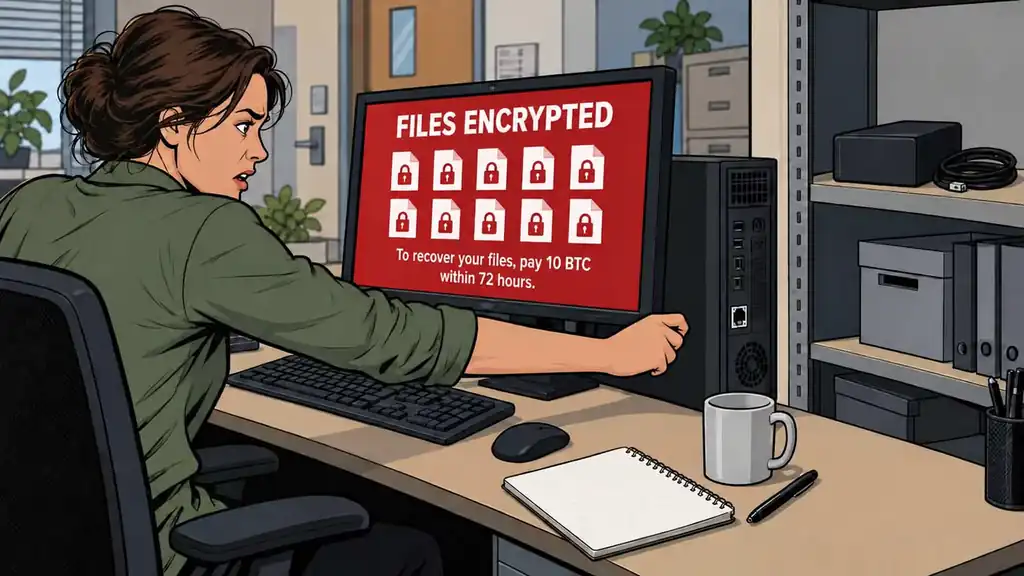
Ransomware is malware that encrypts your files and demands payment for the key. That’s the mechanism in one sentence, and it’s worth being precise about, because the precision is what tells you how to beat it. It doesn’t break your files — it locks them with encryption you can’t undo, and it holds the key hostage. So the entire fight comes down to one question: is there a copy of your data that the malware never got to touch?
That question reframes the whole threat. Most people picture ransomware as a hacking problem and feel helpless, because they can’t out-hack a criminal. But you don’t have to. This is a backup problem wearing a hacker costume. You win it not at the moment of attack but weeks earlier, quietly, with a copy on a drive that was unplugged when the malware came through. Get that right and a ransomware hit is a wipe-and-restore. Get it wrong and you’re negotiating with strangers for your own family photos.
We rate ransomware a likelihood of 4 out of 9 and an impact of 5 out of 9. The likelihood is mid because the attacks are automated and indiscriminate — they’ve moved well past big companies to individuals and small businesses. The impact is mid because it’s really two numbers averaged together: near-nothing if you prepared, near-catastrophic if you didn’t.
How it actually gets in
You don’t get ransomware by being important. You get it by being reachable. Two paths do most of the damage:
- Phishing — one bad click. An email, text, or message carries a poisoned attachment or a link to a fake login page. It looks like a delivery notice, an invoice, a password-reset, a message from a coworker. You open the attachment, and the malware has its foothold. This is the most common front door.
- An unpatched device. Software has holes; updates close them. Attackers scan the internet for machines still running the old, holey version and walk in through a door the vendor already knew about. An out-of-date computer, router, or connected device is an unlocked window.
Two smaller ones round it out: reused passwords (one leaked password from some unrelated breach gets tried everywhere, and if it works, they’re in), and exposed remote-access tools that were left open to the internet. Notice none of this requires you to be singled out. It’s a wide net, and the click is yours to control.
The one rule that beats it: 3-2-1
Every serious backup practice compresses into three numbers. Keep 3 copies of anything you can’t stand to lose, on 2 different kinds of media, with 1 copy kept off-site.
The “1” is the number that beats ransomware, so don’t lose it in the other two. Malware can only encrypt what your computer can reach. A backup drive that’s plugged in, or a network folder your PC has open, is reachable — modern ransomware specifically hunts for connected drives and shares and locks those too. A drive sitting unplugged in a drawer, or a copy physically somewhere else, is not reachable. That air gap — the physical disconnect — is the actual defense. Everything else is convenience.
A workable version for a normal household: your files live on your computer (copy 1). They sync or copy to an external drive (copy 2, different media) that you unplug between backups. And a third copy lives somewhere off-site — a second drive at a relative’s house, or a properly versioned cloud backup service. Rotate two external drives if you want to be tidy: one in the drawer, one in use, swap them.
The mistake that eats people alive: cloud sync isn’t a backup
This is the single most common and most costly error, so read it twice. Dropbox, iCloud, OneDrive, Google Drive — sync is not backup. Sync’s whole job is to make every copy identical, fast. So when ransomware encrypts the files in your synced folder, the service does exactly what it’s built to do: it faithfully copies the encrypted versions up to the cloud and out to your other devices. It doesn’t rescue your files; it replicates the damage.
Some of these services keep version history that can save you if you catch it fast and know how to roll back — but that’s a lucky escape hatch, not a plan. A real backup is separate, and ideally versioned (it keeps older copies so you can go back to before the encryption). Don’t confuse “my files are in the cloud” with “my files are safe.” They are not the same thing.
A worked example: what you’d lose vs. an afternoon
Picture a household laptop with ten years of family photos, tax returns, scanned documents, and — because someone runs a small side business — the customer list and the books. The ransom note wants a few hundred to a few thousand dollars in cryptocurrency, timer running.
Without a backup: Those photos and records exist in exactly one place, now locked. Your options are pay and pray (see below on why that’s not a guarantee), or accept that ten years of photos and your business records are gone. There’s no third option. This is the genuine catastrophe, and it’s why the unprepared impact is so high. Not having some records can have legal ramifications, so this becomes extremely serious under certain circumstances.
With a 3-2-1 backup: You disconnect the infected machine. You wipe it clean — reinstall the operating system from scratch, because you can’t trust a compromised computer. You plug in the offline drive that the malware never touched and copy your files back. You change your passwords. You lose the hours it takes and maybe a day or two of the very latest files. That’s the entire cost. Same attack. Same criminal. The backup is the only variable, and it’s the one you control.
Why paying is a bad plan
Paying is not a clean undo button. You’re trusting criminals to (a) actually have a working key, (b) actually send it, and (c) have written decryption tools that work without corrupting your files. Sometimes all three happen. Often they don’t — partial recovery and mangled files are common. Paying also marks you as someone who pays, which invites a repeat. Treat the ransom as a last-ditch gamble for people who skipped the backup, never as the plan.
Bottom Line
- Ransomware encrypts your files and ransoms the key — so the whole fight is whether an untouched copy exists somewhere else.
- It gets in through a bad click or an unpatched device. Control the click, keep everything updated, don’t reuse passwords.
- Live by 3-2-1 — three copies, two kinds of media, one offline. The offline copy is the piece that actually beats ransomware.
- Cloud sync is not a backup. Sync copies the encryption right along with everything else; you need separate, versioned backups.
- Prepared, it’s an afternoon; unprepared, it’s permanent loss. Paying rarely restores everything — build the backup before you ever need it.
The offline backup is the whole game. Everything else — updates, caution, passwords — just lowers the odds of getting hit. The disconnected copy is what decides whether getting hit even matters.
Get your irreplaceable records into one protected place first — the Digital Binder keeps encrypted copies of your critical documents, so a locked computer is never the only copy standing between you and starting over.